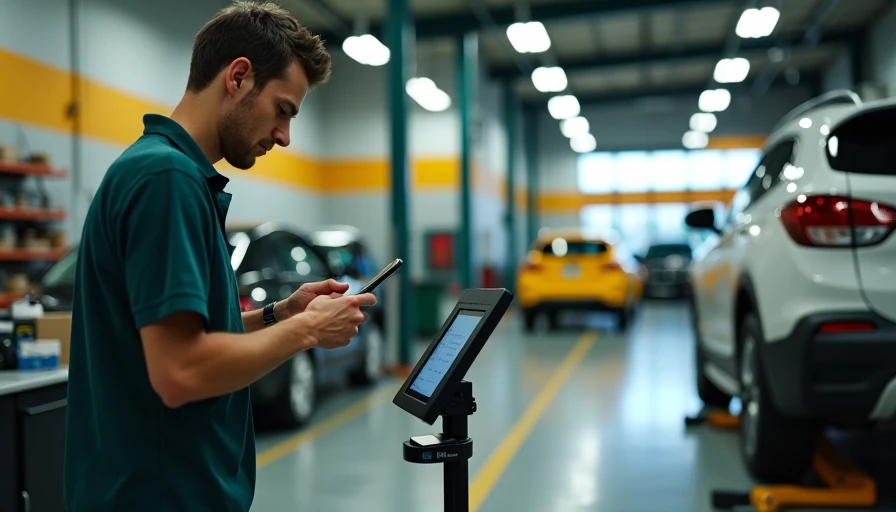
When fleet leaders say they need to auto integrate their systems, they usually mean one practical thing: stop rekeying the same vehicle, driver, mileage, and maintenance information into five different platforms. Done correctly, auto integrate work can reduce administrative labor, improve vehicle uptime, and give your risk team cleaner data for insurance decisions. Done badly, it creates duplicate records, broken APIs, and another monthly software bill nobody can explain to the CFO.
I manage a mixed commercial fleet, so I judge every technology project by three numbers: cost per mile, downtime hours, and compliance exposure. The question is not whether integration sounds modern. The question is what it costs, what it pays back, and what it triggers with DOT.
What auto integrate should connect first
Start with the systems that control daily decisions. In most fleets, that means telematics, maintenance, dispatch or routing, fuel cards, driver safety, and commercial auto insurance data. A GPS device can report mileage and engine faults, while a maintenance platform tracks work orders and parts. Connecting those records creates a more complete operating picture.
For example, a truck showing repeated diagnostic trouble codes should not remain invisible to the maintenance planner simply because the telematics vendor and shop software use different vehicle IDs. An integration can push the alert into a repair queue, identify the unit by VIN, and attach the related mileage. That is more valuable than a colorful dashboard that nobody uses.
The same logic applies to auto insurance. Telematics records can help document mileage, harsh braking trends, speeding events, and driver assignment history. They do not automatically change a premium, but they can support underwriting conversations, internal coaching, and post-incident documentation. Ask your broker or carrier how submitted data will be evaluated before promising savings.
Build the business case before buying software
A credible auto integrate proposal needs a baseline. Measure how many hours dispatchers spend entering data, how often vehicle records fail to match, how many preventive-maintenance services are late, and how long it takes to assemble an accident file. Include the cost of avoidable rental vehicles, roadside calls, and missed delivery windows.
Here is a simple example. A 120-unit fleet spends 35 staff hours each week reconciling fuel, mileage, and service records. At a loaded labor cost of $32 per hour, that is about $58,000 per year. If integration removes half the manual work and prevents only six 12-hour downtime events at an estimated $350 per event-hour, the theoretical annual benefit is more than $32,000 in labor and downtime value. A $20,000 implementation could pay back in roughly seven to nine months, before considering insurance administration.
Fleet Impact: Your CFO will ask for the baseline labor hours, avoidable downtime cost, implementation fee, and expected payback period. Put those four figures on one page. Do not lead with artificial intelligence, dashboards, or a vendor’s customer logo.
Choose the data architecture carefully
Auto integrate projects usually use an application programming interface, file transfer, middleware platform, or a combination of those methods. An API can move information near real time, which is useful for driver status or critical fault alerts. Scheduled file transfers can be adequate for weekly fuel or insurance reports and may cost less. Middleware can translate fields between systems, but it becomes another dependency to monitor.
Before signing, request the data dictionary. Confirm the required fields for VIN, unit number, odometer, driver ID, timestamp, location, work-order status, and accident number. Decide which system is the source of truth. If the fuel platform says a vehicle traveled 2,400 miles and the telematics platform says 2,350, someone must define which value controls preventive maintenance and reporting.
Also check ownership and exit terms. Your fleet should be able to export its records in a usable format if a vendor is replaced. Ask about API limits, authentication, outage handling, audit logs, and support response times. A low monthly price is not a bargain if a failed connection can hide overdue inspections for three weeks.
Protect compliance and driver information
Integration does not transfer regulatory responsibility to the software provider. Fleet managers still need processes for inspection records, maintenance documentation, hours-of-service information, and required driver qualification files. Electronic logging data can support compliance, but it must be reviewed and retained according to the applicable rules and company policy. Have your safety manager confirm how connected records fit with FMCSA requirements before changing a workflow.
Privacy deserves the same attention. Telematics can reveal location, behavior, and off-duty movement. Limit access by job role, document the business purpose, and tell drivers what data is collected. Do not let an insurance feed expose more personal information than the carrier needs. Establish retention rules for crash video, location history, and driver scores instead of storing everything indefinitely.
A useful control is the exception report. Each morning, list units with missing mileage, stale location updates, failed driver assignments, or maintenance alerts that did not reach the shop system. Someone must own that queue. Automation without exception management simply hides errors faster.
Run a controlled pilot, not a fleetwide gamble
The safest auto integrate rollout starts with 10 to 20 vehicles representing real operating conditions. Include a high-mileage delivery truck, a lightly used spare, a van with older hardware, and at least one unit that crosses state lines. Run the pilot for 30 days or one complete maintenance cycle.
Test five workflows: vehicle onboarding, driver assignment, fault alert routing, mileage-based service scheduling, and accident-file creation. Have dispatch, maintenance, safety, and finance each verify the records. Record every failed match and every manual workaround. If the pilot needs three spreadsheets to stay functional, the design is not ready for expansion.
Set a go or no-go threshold before testing. For instance, require 98% successful vehicle matching, same-day fault transmission, and no unresolved compliance-critical errors. Those thresholds are operational controls, not marketing targets. Keep a rollback process so dispatch and maintenance can work if an integration endpoint fails.
Measure results after launch
After implementation, compare performance against the original baseline at 30, 60, and 90 days. Track preventive-maintenance completion, unscheduled repair hours, administrative labor, fuel-record exceptions, accident-report preparation time, and insurance documentation turnaround. Cost per mile should include software fees, implementation labor, hardware replacement, and ongoing support.
Do not claim a savings percentage simply because a dashboard shows fewer alerts. Tie the result to an action. A fault alert that produced a scheduled repair before a roadside failure has measurable value. A driver score that led to coaching and fewer harsh events is useful only when the trend persists and the coaching record is complete.
Auto integrate systems also need annual review. Vendors change APIs, devices age out, routes change, and insurance requirements evolve. Assign an owner, review permissions, test exports, and confirm that inactive drivers and retired units are removed. This keeps the technology from becoming a hidden operational liability.
The best integration is not the one with the most connections. It is the one that gives your people accurate information early enough to prevent a missed service, unsafe assignment, billing error, or avoidable claim. Start with a measurable problem, pilot the workflow, and make the payback visible. That is how auto integrate becomes a fleet tool instead of another subscription line.